The Alabama Secretary of State provides a searchable business entity database by name, number, officer/agent/incorporator, and reservation ID. It provides realtime data of records currently listed with the Secretary of State. There is no fee to use and the directory does not need an account to access.
Business Lookup
Step 1. Visit the Alabama Business Records – Homepage
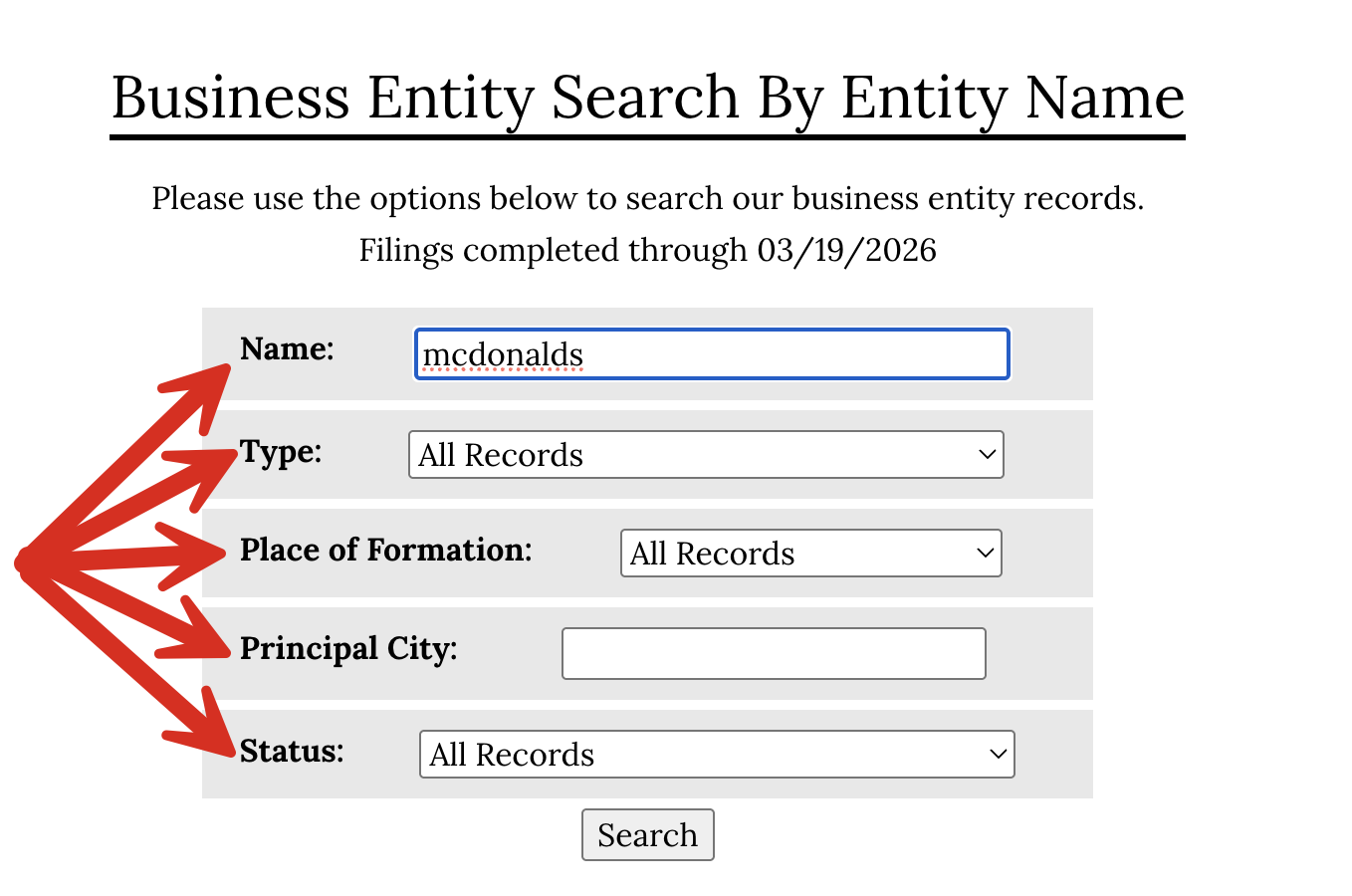
Once on the Alabama Secretary of State website, there is the option to search for an entity by:

Step 2. Enter the Entity Name
After entering the entity name, there are filters that allow to segment the results by:
Step 3. Reviewing the results
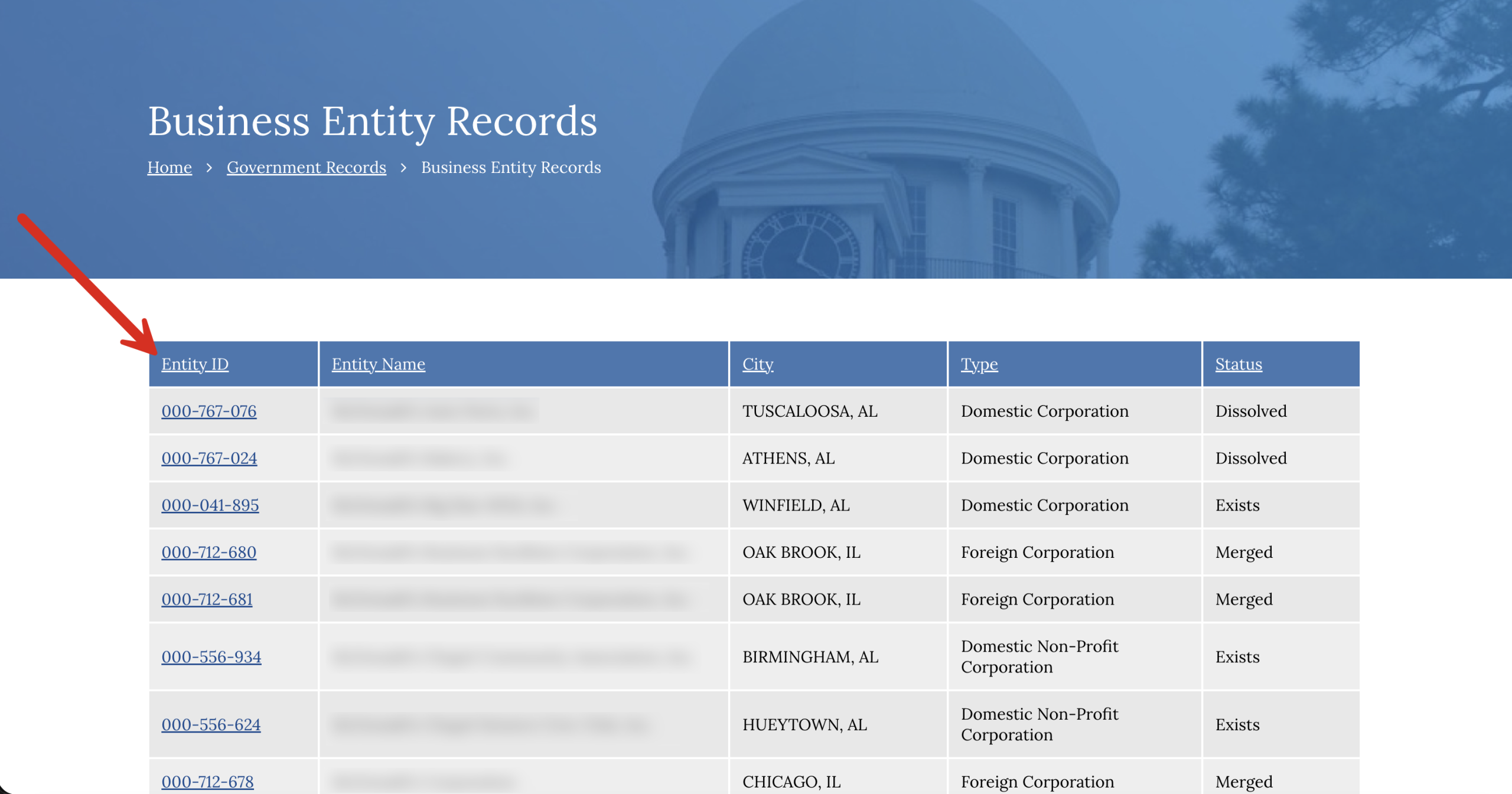
After entering the entity name and clicking the “Search” button, a list of the matching entity names will appear, including the:
- Entity ID;
- Entity Name;
- City;
- Type (of entity); and
- Status.
Click the 9-digit entity number to see its entity details.
Step 4. Review the Business Records Details
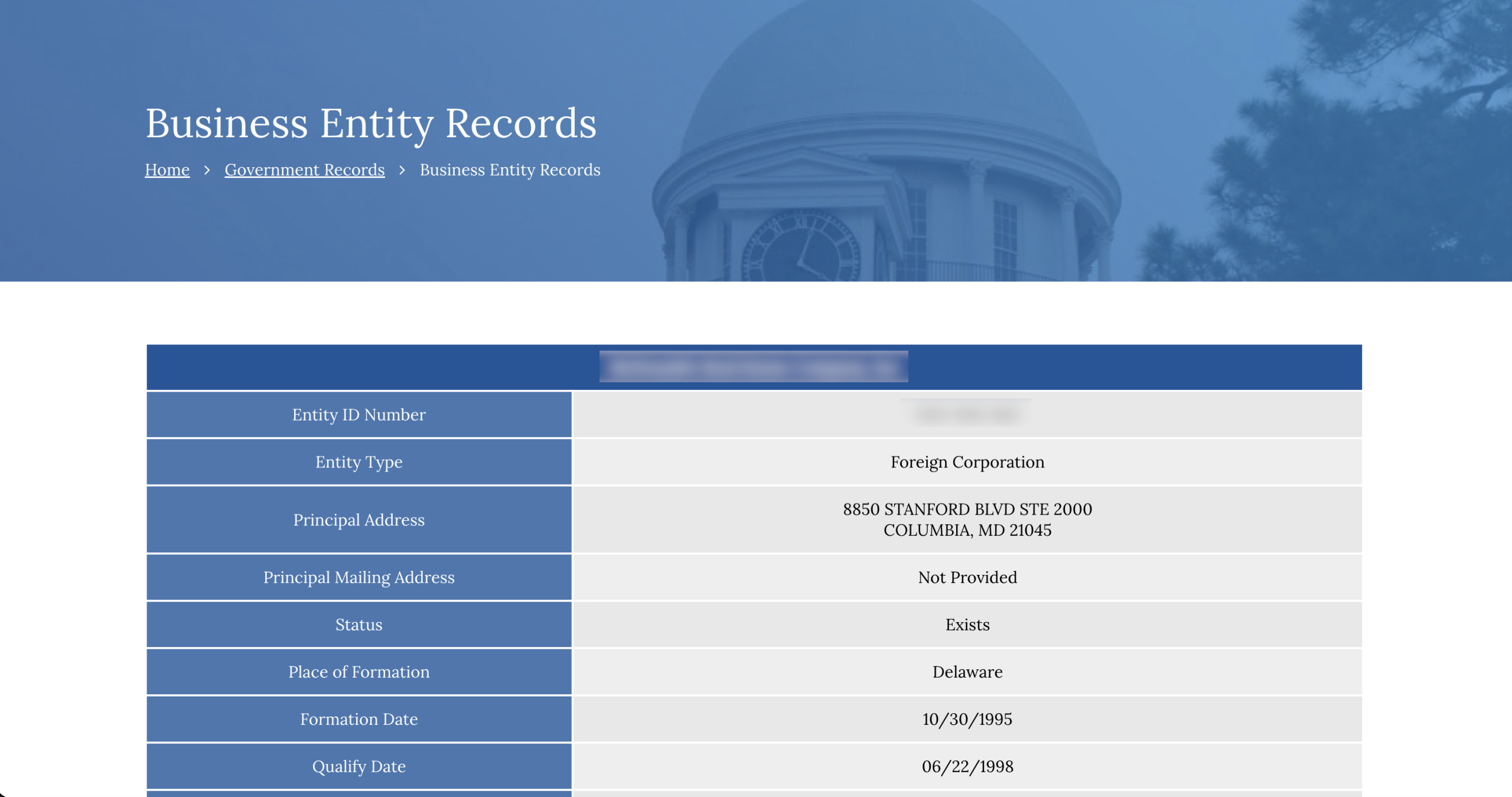
After clicking the entity number, the full record on file with the Secretary of State will be available to view, including:
- Entity ID Number;
- Entity Type;
- Principal Address;
- Status;
- Place of Formation;
- Formation Date;
- Qualify Date (if any);
- Registered Agent Name;
- Registered Office Street Address;
- Registered Office Mailing Address;
- Nature of Business (if any);
- Capital Authorized (if any);
- Capital Paid In (if any);
- Annual Reports – by Year (see sample);
- Transactions; and
- Scanned Documents